How to add or claim your page
A page about you that people find when they google your name — written by you, checked by us. Free.
Add yourself
-
1Make an account
Press Create profile at the top of any page. Enter your e-mail and a password.

-
2Tell about yourself
Name, what you do, country, a photo and your links. Write the text yourself, like you would tell a friend: at least 300 characters. Next to the form you see a live preview of your page (on a phone, press Preview). Copied or AI-written text is not published — Google does not show it either.

-
3Wait for the check
We read every profile, usually within a day. Your account shows the status.

-
4Share the link
When the page is published, put unveilgenius.com/artist/your-name in your Instagram or TikTok bio. You can change the text and photo any time in your account.

Claim the page about you
-
1Find your page
Use the search, then press Is this you? Claim this profile under the photo.

-
2Send a request
Make an account (or log in). The page lists the accounts linked to your profile.

-
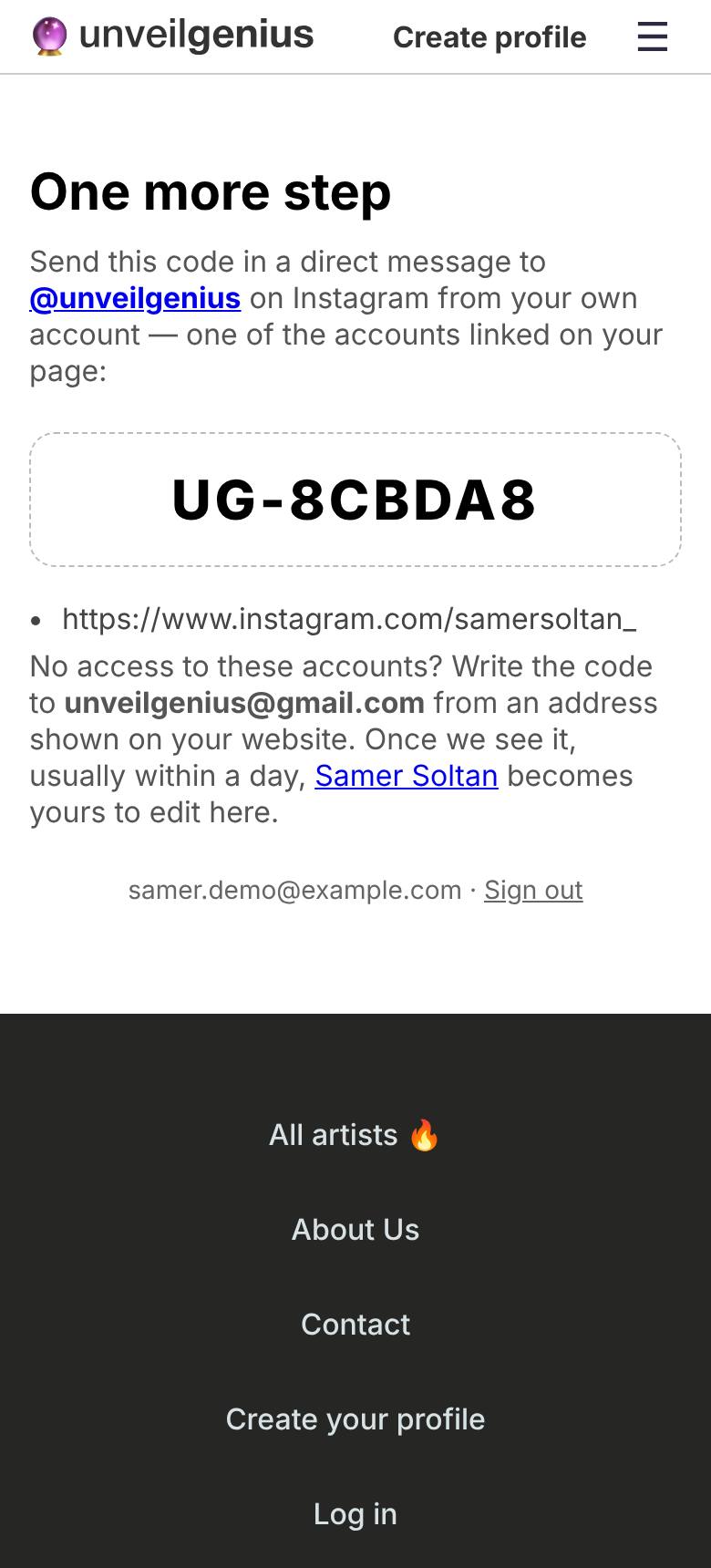
3Send us the code
You get a short code like UG-1A2B3C. Send it in a direct message to @unveilgenius on Instagram from one of those accounts. That is how we know it is really you.
-
4Edit your page
Usually within a day the page is yours: rewrite the text, change the photo, add facts, sections and links, or hide it — all in My account.

-
5Check the preview, then save
Every change shows up in the preview right away. Press Save and it is live on your page.

No access to the linked accounts, or you are a manager or agency? Send the code to unveilgenius@gmail.com and tell us who you are.